Free Casting Simulation Software
Prevent Defects at Zero Cost

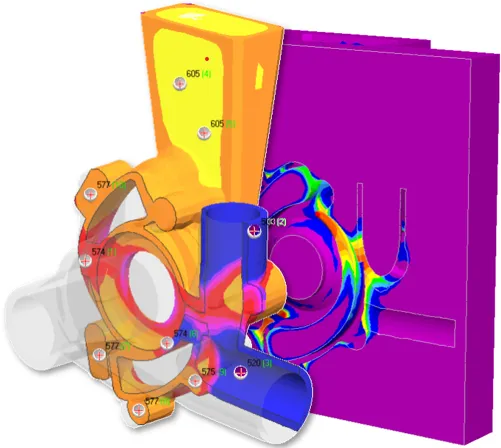
Identify hot spots, shrinkage cavities, and microporosity with industrial accuracy

Analyze models up to 500,000 polygons using our professional FEM solvers

Work 100% offline with no time limits, trials, or hidden fees

Real Tools. Real Results. Really Free

Professional-grade casting simulation at no cost, with no compromises

Real Software. No Trial.

This is real simulation software, not a 30-day trial. PoligonSoft FREE uses the same FEM core as our commercial editions, delivering full accuracy for models up to 500,000 elements.

100% Offline & Secure

Run simulations fully offline. Your CAD models, material data, and results never leave your workstation. No cloud uploads, no telemetry, just complete control.

Backed by Free Training

Learn casting simulation from scratch with free step-by-step video courses. From setup to result interpretation, everything you need to tackle real production tasks.
Everything You Need to Simulate Solidification

Professional-grade casting simulation at no cost, with no compromises

Free Version vs Commercial License

Everything you need to know about downloading, learning, and using PoligonSoft FREE
Feature
Free Edition
(No cost forever)
Commercial License
(Full feature set)
Price
Free: €0
Starts from €12240/yr
FEM Mesh Generator
Included
(No mesh limits)
Included
(No mesh limits)
Materials & Alloy Database
Included
Included
Custom User Materials
Included
(Create & edit)
Included
(Create & edit)
Process Templates
Included
Included
Ceramic Mold Generator
Included
Included
Mold Filling Dynamics
(velocity, temperature, pressure)
Setup only
(No calculation)
Add-on
(Euler Flow Solver)
Solidification simulation
(temperature & phase fields)
Included
(500K polygons limit)
Included
(No mesh limits)
Hot Spot Identification
Included
(500K polygons limit)
Included
(No mesh limits)
Shrinkage Cavities Prediction
Included
(500K polygons limit)
Included
(No mesh limits)
Macro & Microporosity
Included
(500K polygons limit)
Included
(No mesh limits)
Thermal Re-radiation & Shading
(vacuum casting)
Setup only
(No calculation)
Add-on
(Radiation Solver)
Stress & Deformation
Setup only
(No calculation)
Add-on
(Hooke Stress Solver)
Hot & Cold Cracks Prediction
Setup only
(No calculation)
Add-on
(Hooke Stress Solver)
Heat Treatment
Setup only
(No calculation)
Add-on
(Heat Treatment Solver)
Macrostructure
Setup only
(No calculation)
Add-on
(Macrostructure Solver)
Centrifugal Casting
Setup only
(No calculation)
Add-on
(Centrifugal Casting Solver)
Continuous Casting
Setup only
(No calculation)
Add-on
(Continuous Casting Solver)
Results Visualization
Included
Included
Technical Support
Community
Included
Software Updates
Included
Included
(Active subscriptions)
Licence Duration
Permanent free
Annual / Perpetual

PoligonSoft Free: Beginner's Guide

Learn how to work properly with the free version of PoligonSoft.

Frequently Asked Questions

Common questions about licensing, pricing, and engineering services.

Is PoligonSoft FREE really free? Is it a trial or a limited demo?

PoligonSoft FREE is a permanently free edition — not a trial, not a demo, and not time-limited. You can use it as long as you need, with no hidden fees and no expiration date.

The free version uses the exact same FEM core and calculation algorithms as our commercial editions, so the simulation results are fully accurate and professional-grade.

Who is PoligonSoft FREE intended for?

PoligonSoft FREE is designed for:

  • Students and educators learning or teaching metal casting physics and simulation workflows.
  • Engineers and foundry professionals who want to explore and evaluate the software's capabilities before committing to a paid license.
  • Researchers and hobbyists working on academic or non-profit projects.

Please note: PoligonSoft FREE is strictly intended for educational, academic, or non-profit purposes and is not licensed for commercial production.

Can I use PoligonSoft FREE for paid client work or commercial production?

No. PoligonSoft FREE is licensed strictly for academic, educational, and non-profit purposes. If you need to run simulations as part of a professional workflow, for commercial production, or as a service to clients, a commercial license is required.

If you want to run professional simulations without purchasing a license, you can use our Casting Simulation Services — our engineers will run the calculation for you and deliver the fully professional results.

What can I simulate with PoligonSoft FREE?

PoligonSoft FREE focuses entirely on solidification simulation and shrinkage defect prediction. You can accurately obtain:

  • Temperature and phase fields during the cooling process
  • Hot spot detection (areas that solidify last)
  • Exact location and formation of shrinkage cavities
  • Macro and microporosity distribution

These results cover the most critical defect analysis tasks, helping you optimize riser placement, avoid feeding problems, and validate part geometry for academic or evaluation projects.

What modules are included in the free version?

PoligonSoft FREE provides a complete toolset for thermal analysis:

  • Mesh Generator: Imports CAD models and generates optimized finite element meshes.
  • Master (Simulation Setup): Configures simulation parameters, initial settings, and process templates.
  • Material Database: An extensive library of alloys and materials.
  • Fourier Solver: The professional thermal calculation engine.
  • Mirage (Results Visualisation): Advanced interactive 3D viewer for dynamic fields, isosurfaces, transparency, and graphs.

Does PoligonSoft FREE include a material database?

Yes. The free version includes the exact same material database as our commercial editions. It features an extensive list of metals, alloys, and mold materials (including sands, ceramics, insulators, and exothermic sleeves) with highly accurate, temperature-dependent properties.

The database is fully editable. You can customize existing materials or create entirely new user records for your specific research or evaluation needs.

Does PoligonSoft FREE require an internet connection to run simulations?

No. After the initial download, PoligonSoft FREE operates 100% offline. All mesh generation and complex calculations run locally using your computer's hardware.

There are no cloud uploads and no telemetry. Your 3D CAD models, proprietary material data, and sensitive simulation results never leave your workstation, ensuring absolute confidentiality.

What are the limitations of the free version compared to a commercial license?

Here is a summary of the key differences:

Feature FREE Edition Commercial License
Solidification & Porosity Max 500,000 polygons No limits
Commercial Use Not permitted Permitted
Mold Filling (Euler Flow) Setup only Add-on module
Stress & Deformation Setup only Add-on module
Heat Treatment Setup only Add-on module
Centrifugal / Continuous Setup only Add-on module
Technical Support Community only Priority Included

What does the 500,000 polygon limit mean in practice?

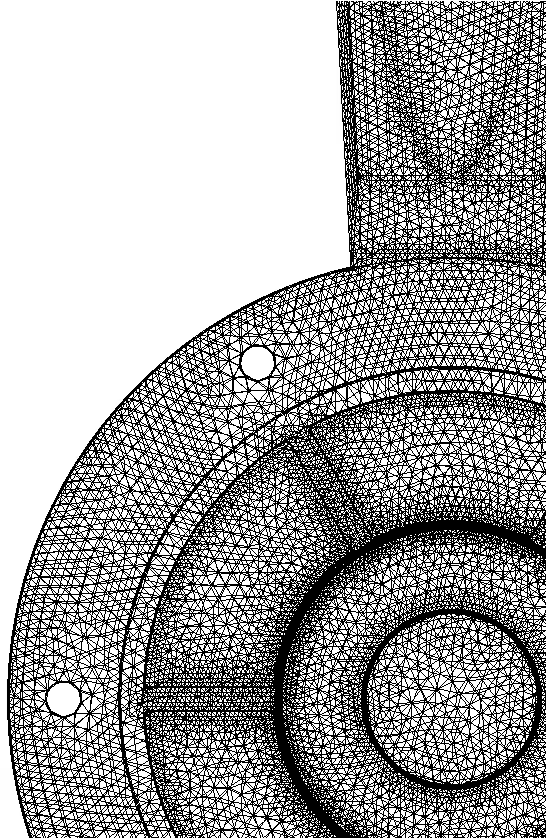
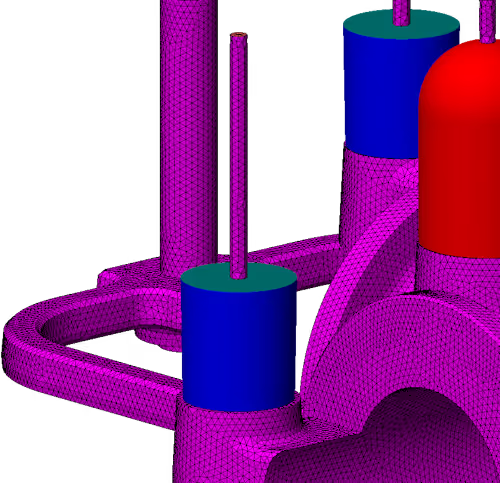
When you create a finite element mesh, the total number of tetrahedrons (mesh elements) for your entire setup must not exceed 500,000. This includes the casting itself, the mold, gating systems, risers, and any cores.

If the generated mesh exceeds 500,000 elements, the solver will not launch the calculation. The Mesh Generator provides real-time element counts, allowing you to optimize mesh density before running the simulation.

For many small to medium-sized castings, 500K elements are more than enough to learn the workflow and obtain high-quality results.

How can I simulate larger parts without exceeding the free limit?

PoligonSoft provides advanced techniques to significantly reduce polygon count, allowing you to simulate surprisingly large models within the free version's limits:

  • Virtual Mold: A mathematical technique that accurately calculates heat transfer without requiring a physical 3D mesh for the massive mold block, saving hundreds of thousands of polygons.
  • Shell Molds: An automated tool that builds a highly efficient, thin-shell mold around your casting directly in the software, eliminating the need to model complex solid molds in external CAD.

Both of these techniques are covered step-by-step in our free beginner's video course.

Can I simulate mold filling (flow dynamics) with the free version?

No. While the Master module allows you to configure filling parameters (such as pouring velocities and temperatures) for learning and setup purposes, the Euler Flow Solver itself is disabled in the free version.

If you need to analyze fluid dynamics, predict misruns, or optimize gating velocities for production, you will need to upgrade to a commercial license or utilize our Simulation Services.

How do I download PoligonSoft FREE?

To download the software, simply create a free account on the PoligonSoft website using your email address or Google authentication. Registration takes less than a minute, and no credit card is required.

Once logged in, the download link for the installer will be instantly available on your User Profile page.

Go to the download page

What are the system requirements to install PoligonSoft FREE?

The minimum system requirements to install PoligonSoft are:

  • Operating system: Windows 10 or higher (64-bit).
  • Processor: Works on virtually any modern processor. The software uses multi-core calculations, so faster processors with more cores will complete calculations more quickly.
  • RAM: 8 GB.
  • Disk space: 3 GB free for installation, plus additional space for projects and results.
  • Graphics card: Compatible with OpenGL 3.0 or higher.

What CAD file formats can I import into the software?

PoligonSoft imports 3D solid models using IGES and STEP formats. These are universal industry standards supported by all major CAD platforms (SolidWorks, Inventor, NX, CATIA, Fusion360, FreeCAD, etc.).

The accuracy of your simulation depends heavily on the quality of the imported geometry. We recommend reviewing the 3D model preparation guidelines covered in the first lesson of our free training course.

Where can I find tutorials and training for the free version?

We provide a comprehensive, completely free video course designed specifically for PoligonSoft FREE users. It takes you step-by-step through real scenarios:

  • Lesson 1: Mesh generation and optimization within the 500,000 polygon limit
  • Lesson 2: Configuring your first simulation and analyzing the thermal results
  • Lesson 3: Using the "Virtual Mold" to simulate large parts efficiently
  • Lesson 4: Automatically generating thin shell molds

Is technical support available for free version users?

Free version users have full access to our extensive video courses and community resources. However, personalized, priority technical support from the PoligonSoft engineering team (such as troubleshooting specific CAD files or project configurations) is strictly reserved for users with active commercial licenses.

Can I upgrade from the free version to a commercial license later?

Yes, transitioning is seamless. PoligonSoft uses a modular system, so you can easily upgrade to an Annual Subscription or Perpetual License whenever your production needs grow.

All projects, custom material databases, and templates created in PoligonSoft FREE are 100% compatible with the commercial versions. You will not lose any work.

Is there a way to try the full commercial features before buying a license?

Yes. If you need to evaluate advanced modules (like flow or stress) on a complex part, the best approach is to use our Casting Simulation Services. Our engineers will run your project using the full software suite and deliver comprehensive results.

Alternatively, a time-limited evaluation license for the commercial suite may be granted upon request to companies whose engineers have prior professional experience with casting simulation systems.

When does it make sense to move to a commercial license?

PoligonSoft FREE is highly capable for learning, but upgrading to a commercial license is required or recommended when:

  • You need to use the software for commercial production or paid client work.
  • Your part geometries are highly complex and frequently require more than 500,000 mesh elements to accurately capture details.
  • You need to simulate mold filling dynamics to detect misruns or optimize gating flow.
  • You need to calculate mechanical stresses, hot tears, or post-cooling deformations.
  • You use specialized processes requiring add-ons (Heat Treatment, Vacuum, Centrifugal, Continuous casting).
  • You require dedicated priority support from our engineering team to solve complex foundry challenges.

Explore commercial pricing and modules

Up